A&A INSIGHTS
Before adding a paid AI SaaS plan: match the pricing table to real access
For solo AI SaaS founders: define what you sell as feature keys, not plan names, and confirm existing subscribers only get a change at the next billing period.
日本語で読む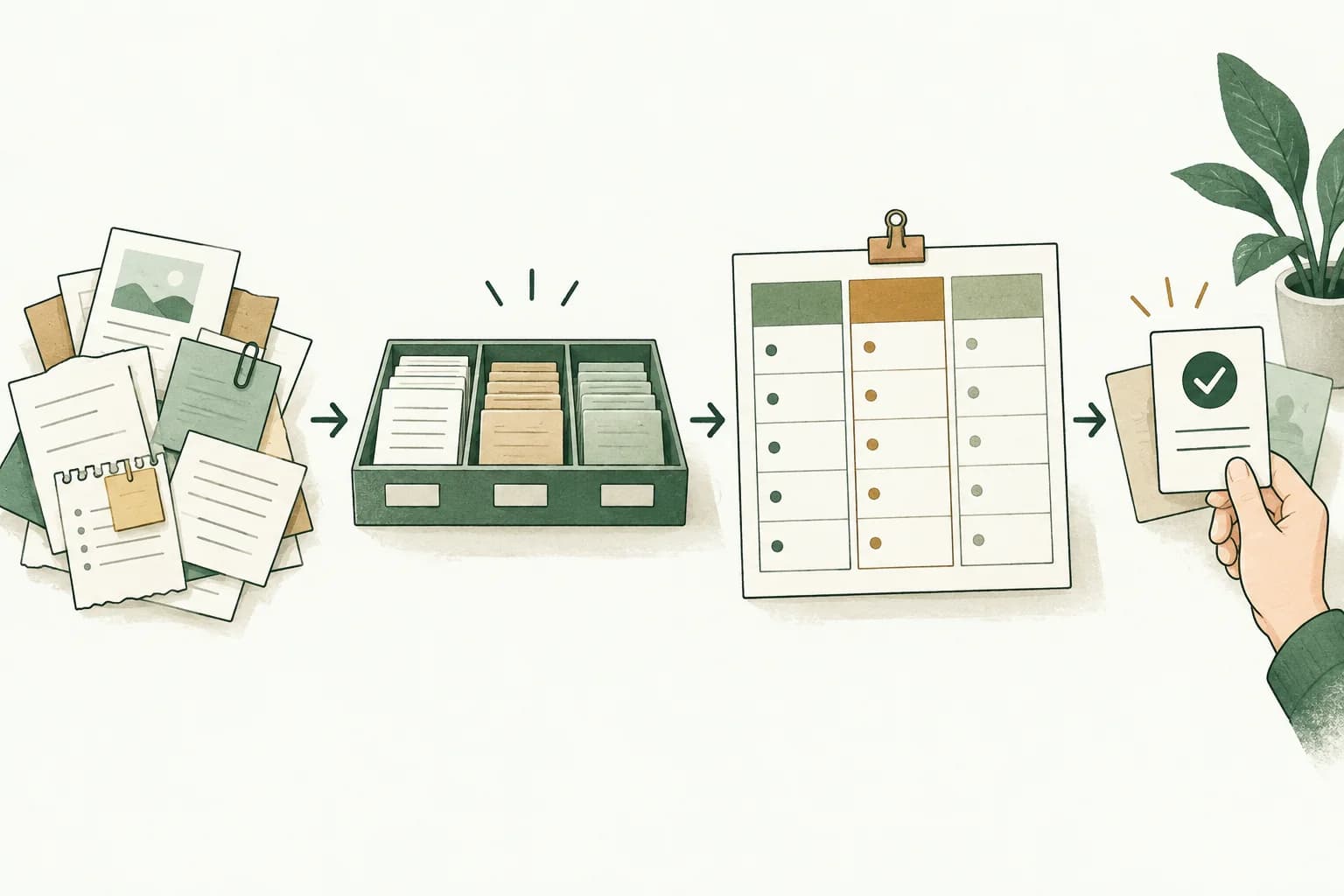
THE STARTING POINT
A new paid plan is not deliverable at the moment you finish writing the pricing table. Define the unit you sell as a feature key rather than a plan name, have your application read that list of features to open and close access, and confirm that the change reaches existing subscribers only at the start of their next billing period. If every new plan still adds another branch in your code, the promise in the pricing table and the access a buyer really has will drift apart. This article keeps source statements, A&A interpretation and hypothetical examples separate.
What you add is not a plan, it is a list of features you sell
A&A perspective
When you add one paid plan, the first thing to decide is neither the price nor the name. It is to list the features that this plan newly sells, under names that are independent of the plan. If you replace the check in your application from "is this customer on Pro" to "can this customer use this feature", then the next time you add a plan the only things you touch are the pricing table and a mapping sheet. If the check stays on the plan name, every new plan adds another branch in your code, and the promise written in the pricing table and the access a buyer actually has drift apart a little at a time. The drift is invisible right after launch. It becomes visible when the first support message arrives.
From the sources
Stripe's Entitlements documentation describes an entitlement as representing a customer's access to a feature, and states that when a customer purchases or subscribes to a product with an attached feature, Stripe creates and manages an Active Entitlement for that customer and feature. The documentation explains that the purpose of the mechanism is to let you map the features of your internal service to Stripe products, and that after you map your features, Stripe notifies you about when to provision or de-provision access according to your customer's subscription status, and to what features, based on your mapping choices. It also states that as long as a customer maintains an active subscription for a feature, they retain an active entitlement. In addition, the documentation notes that you can add a single feature to multiple products.
A&A perspective
That last sentence is the reason to make the feature, not the plan, your unit. If one feature can attach to several products, then the product side, which is to say the plan, is structurally nothing more than a combination of features. A&A reads this as an argument that the smaller the team, the earlier the feature list should be fixed. Plans get reshuffled repeatedly for commercial reasons, whereas a feature describes what a user can do, and that changes far less often. Put the check on the thing that does not move, and a change to the pricing table stops requiring a change to the application. Stripe's own documentation expresses the benefit of the mechanism as being able to launch, change and experiment with your pricing without needing to change your codebase. That benefit, however, only applies once you have finished moving the check from plan names to feature keys.
Plans differ along two axes, quantity and capability, and they fail differently
From the sources
The customer story Stripe published about Lovable states that, ahead of its launch in November 2024, the team used Stripe Billing to spin up a range of subscription plans: a free tier for individuals, and paid tiers that offer graduated levels of monthly usage credits and specialised features. The page further states that in 2025, to support the launch of Lovable Cloud and Lovable AI, the team implemented Stripe's usage-based billing features, and that in just two weeks they were able to define meters and rate cards, ingest real-time usage from Lovable Cloud, and automatically bill customers for actual consumption. The page describes the result as enabling metered pricing, real-time credit burndown and transparent spend visibility. This page is published by Stripe as its own customer story.
A&A perspective
Two different axes sit inside that description. "Graduated levels of monthly usage credits" is the quantity axis; "specialised features" is the capability axis. What matters when A&A applies this to a small business is that the two produce completely different experiences of being blocked. When a user is blocked on quantity, they can work out the reason themselves: a balance counts down and stops at zero. When a user is blocked on capability, the reason is not visible. A button is missing, or clicking it does nothing, or an error appears. From the user's side all of these look like the product is broken. It is the second kind that generates support messages, and those messages usually say nothing more specific than "it doesn't work". In other words, how you design the capability axis comes back to you as support load.
Hypothetical example
Here is a hypothetical example. Suppose a solo-built transcription service splits its monthly subscription into two plans. The upper plan differs in two ways: three times the monthly processing minutes, and automatic speaker separation. The first is quantity, the second is capability. Picture a user on the lower plan trying speaker separation: they still have plenty of minutes left. From their point of view the state is "this should work, but nothing happens". The message on screen here should not be "you have reached your limit" but "this feature is included in the upper plan", and if both messages come out of the same branch in your code, one of them will always be a lie. How to present the quantity side is covered in the existing article "How to explain credits in an AI SaaS plan: show the usable amount and the extra spend". This article deals only with the capability side and the timing of when it takes effect.
| Promise in the pricing table | Gap that is easy to miss in implementation | What to confirm before publishing |
|---|---|---|
| The upper plan includes advanced reporting | The check is still a branch on the plan name | Move the check to a list of feature keys so adding a plan does not touch code |
| From today we are shipping a new feature | Existing subscribers' entitlements do not change that day | Treat the effective date as the next billing period and split announcement and support replies into two lines |
| The upper plan comes with priority support | The feature key was named after the plan and cannot be renamed later | Name keys after capabilities and fix the list before creating them |
| Access ends when you cancel | The notification arrives but the application never closes access | Enumerate what to close per feature key and decide how a failure to close is detected |
| Per-plan feature differences are as listed | Features grow past what the notification summary carries | Implement the paginated retrieval for more than ten entitlements before you grow into it |
| Service stops when you run out of credits | The quantity ceiling and the capability check share one branch | Separate the two checks and separate the wording each one shows the user |
A feature key cannot be renamed later, so do not name it after a plan
From the sources
Stripe's documentation states that when you create a feature you provide a name and a unique lookup key, and that because the lookup key is unique to each feature, you cannot reuse it across different features. The Dashboard-side instructions add that you cannot edit a feature's lookup key after the feature is created, and that a lookup key cannot be reused across different features unless you archive the feature associated with it. On archiving, the documentation lists several points to keep in mind: archived features cannot be edited or added to any new products; archived features still create entitlements if attached to existing products; an archived feature's lookup key can be used again; and you cannot unarchive a feature.
A&A perspective
This key is therefore one of the few strings in your business that you cannot rephrase midway. In A&A's reading, putting the plan's commercial name here is the most common mistake. Keys like pro or business look self-evident the moment you create them. But six months later, when the plan is renamed to something else, the old name survives only inside your code. And because an archived feature still creates entitlements while it remains attached to existing products, that old name survives quietly. Name the key after the capability, not the way you sell it: speaker separation, API access, an additional export format, at a granularity whose meaning does not change when you rewrite the pricing table. The converse is also useful: if you try to name a key for some plan difference and no capability name comes to mind, that difference may not be a feature at all, but a discount or a relabelling.
Hypothetical example
To put it as a hypothetical mapping sheet, the transcription service above would have only two features, speaker separation and priority processing, and two products, Light and Pro. Speaker separation attaches only to Pro; priority processing attaches both to Pro and to an Annual Pro added later. When Pro is eventually retired and replaced by Team, the feature keys do not move. What moves is only the lines connecting products to features. The sheet fits on one page: feature keys down the left, the products containing each feature on the right, laid out so you can tell at a glance which features have exactly one line and which have two or more.
Existing subscribers receive the change at the next billing period, not on launch day

From the sources
The instructions for attaching a feature to a product carry the following note: existing subscriptions will create active entitlements for any product feature changes at the start of the next billing period. For newly subscribing customers, by contrast, the documentation states that when a customer's subscription is first activated, Stripe creates entitlements for the features that they're subscribed to. The documentation also explains that during the lifecycle of a customer's subscription, from activation through upgrades, downgrades and so on, Stripe updates the customer's entitlements based on your mapped features.
A&A perspective
This asymmetry breaks the announcement copy you write on launch day. On the day you update the pricing table and announce that "from today, the Pro plan includes speaker separation", that sentence is true only for new subscribers. The entitlements of users who already hold Pro do not change that day. A&A reads this not as a defect in the mechanism but as a premise that requires the announcement to be written in two parts. Two lines are enough: new subscribers get it immediately, existing subscribers from their next billing date. Support messages saying "it isn't showing up on my account" arrive only when those two lines are missing. Skip them, and you manufacture bug reports about a system that is behaving exactly as documented.
Hypothetical example
Check it against hypothetical dates. Suppose a user's billing date is the 12th of each month, and you attach the feature to the product on 20 September. The entitlement is created for that user on 12 October. For those twenty days, the pricing table and that person's screen do not agree. If you panic and open the feature by hand, you now have two sources of truth: the entitlement on Stripe's side and the state in your own application. If you must open it early, it is safer to add a "manual grant" field to your application's check, with an expiry that clears it automatically on the next billing date. One caveat: the documentation consulted here does not describe how "the start of the next billing period" behaves for a subscription whose billing cycle was changed midway, or for one still in a trial. Do not assume; treat it as an item to confirm against the current documentation before you implement.
Stripe only notifies you; opening and closing access is your application's job
From the sources
The documentation describes what Stripe does after you have mapped your features as notifying you about when to provision or de-provision access, according to your customer's subscription status, and to what features. As the mechanism for communicating entitlement changes, it describes an event that fires when a customer's entitlements change because they subscribe to a product, upgrade, downgrade or cancel, and states that your application should enable whichever features or services correspond to the features listed in the event payload. It further states that when a customer cancels their subscription, or their subscription is canceled automatically due to failed payments, Stripe fires the same event again, the revoked features no longer appear in the payload's entitlement list, and your application needs to disable the associated features or services accordingly.
From the sources
The API-side instructions tell you to make sure you provision access in your system for any users entitled to a feature. On top of that, the list has a ceiling: the documentation states that the entitlement summary's data array contains a maximum of 10 entitlements, and that if a customer has more than 10 active entitlements you should use the URL field in the payload to fetch the complete, paginated list. It also documents a way to retrieve a customer's current entitlements directly without waiting for a webhook, and names the uses for it: on application startup, for authorization checks, and to reconcile state after a webhook delivery failure. The documentation adds a recommendation that you persist these entitlements internally for faster resolution.
A&A perspective
Three practical implications follow for a one-person operation. First, the subscription record of truth sits on Stripe's side, but the thing that actually closes a feature is your application, so for any period in which you are not receiving events, the state "something you did not sell is usable" simply continues. Second, the moment you pass ten features, an implementation that trusts only the event payload breaks silently. It breaks in the hardest form to notice: some features fail to activate for some users. Writing the paginated retrieval before you grow to ten features is cheaper than repairing it afterwards. Third, keep a reconciliation path. Assume delivery failures happen, re-fetch the list on startup or once a day, and compare it against what you stored on your own side. All three of these are work to finish before you add another plan, not after.
Six rows to fill in before you publish
A&A perspective
Translated directly into work, there are six fields to fill in before publishing a new paid plan. First, the feature key this plan newly sells, plus one sentence describing the capability; do not include the plan name. Second, the list of products the key attaches to; if the same feature belongs to several plans, this is where the sheet grows a second line. Third, when the change reaches existing subscribers; the default is the start of the next billing period, and this is where you decide whether the announcement carries that line. Fourth, the value your application checks: a list of feature keys, not a plan name and not a product ID. Fifth, the retrieval path for when features exceed ten, and how often reconciliation runs. Sixth, what gets closed on revocation, and how you would notice if it failed to close.
Hypothetical example
Here is one hypothetical filled-in row. First, the speaker-separation feature key denotes the capability of transcribing audio split by speaker. Second, it attaches to the products Pro and Annual Pro. Third, existing subscribers receive it from their next billing date, stated in two lines in the announcement. Fourth, the check looks only at whether that feature appears in the list of feature keys. Fifth, with four features today the plain list retrieval is enough; implement paginated retrieval before reaching ten; reconcile daily. Sixth, on revocation the corresponding item on the export screen is hidden while any run already in progress is allowed to finish, and a failure to close is detected from the daily reconciliation difference. These six rows can be written without any tooling. If a field refuses to produce an answer while you are filling it in, that means the plan is not yet in a sellable state. Publishing the pricing table can wait until it is.
What this article does not decide, and the next step
A&A perspective
Three limits. First, synchronising entitlements does not replace the authorization logic in your application. What is handled here is only whether you sold that feature as part of a contract; who the administrator of that organisation is, and which user is permitted to perform which operation, are decisions at a different layer. Second, the price itself, and whether anyone will buy at that price, are outside this article's scope. What is covered is only the step of getting to a deliverable state after you have decided to sell. Third, the Stripe customer story referenced here is an account published by Stripe itself, not an independent audit. The revenue and growth figures it carries cannot be transferred to your own projections, so they are not quoted in the body of this article. Treat the product behaviour as documented at the time of access, and confirm it against the current documentation before you implement.
A&A perspective
The next step is to open the pricing table you have today and colour the rows that differentiate plans into two groups, quantity and capability. Pull out only the capability rows, and give each one a key named after the capability. If that exercise produces more than five keys, an implementation that branches on plan names is already in a fragile state. The design of the entry point, meaning how much you let people try for free, is covered in the existing article "Before you ship a free trial for your solo AI product: define the job and the usage ceiling". The overall flow from acquisition through retention is set out in "AI-native GTM: a practical guide for solo founders and small teams". If you cannot settle how the fourth and fifth of the six rows should concretely be written in your own codebase, bring it to us as scoped development with the target step already chosen.
A new paid plan is not finished at the moment the pricing table is written. Make the unit you sell a feature key named after a capability, draw the lines to products on a mapping sheet, and replace your application's check with a list of feature keys. Then split the announcement into two lines because existing subscribers receive the change only at the start of their next billing period, and put the paginated retrieval path for more than ten features, plus a daily reconciliation against delivery failures, in place first. Only once those six rows are filled in is the plan in a deliverable state. What this step cannot tell you is whether anyone will buy at that price; handle that separately, as demand validation before launch.
Sources & editorial note
Primary pages read for this article. Publication dates below belong to the sources; access dates record our research.
- Entitlements (Dashboard setup)
Stripe · no date shown on page; continuously updated product documentation
Accessed 2026-09-29 - Entitlements (API integration)
Stripe · no date shown on page; continuously updated product documentation
Accessed 2026-09-29 - Riding the AI boom: How Lovable grew into a vibe-coding juggernaut with Stripe
Stripe · no date shown on page; text describes a November 2024 launch
Accessed 2026-09-29
AI-assisted editorial production
A&A uses AI for research, writing, translation and editorial checks. Source facts, our analysis and hypothetical examples are labeled separately.
Editorial check: 2026-09-29